
Speed Cantonese3.0.0 - App Store
You'll be able to see results in few seconds.
Publisher Description
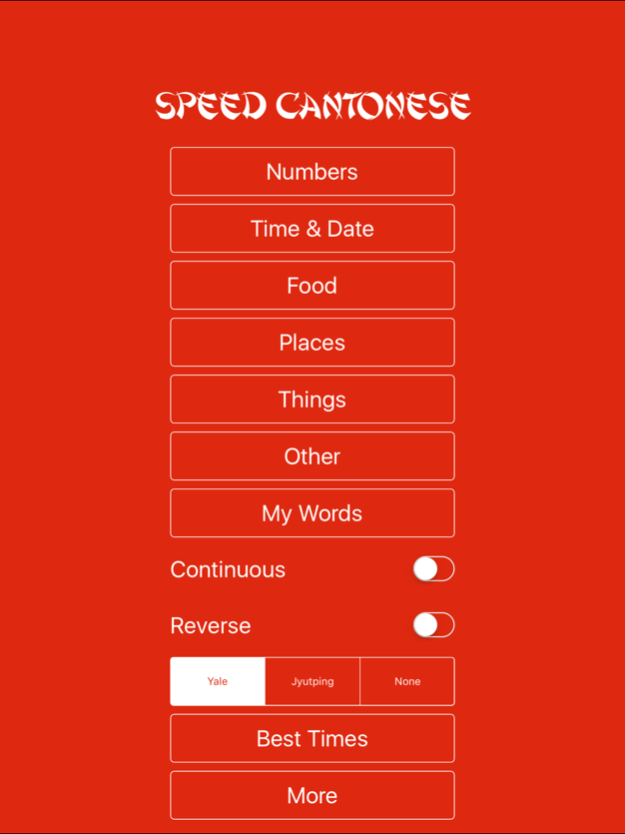
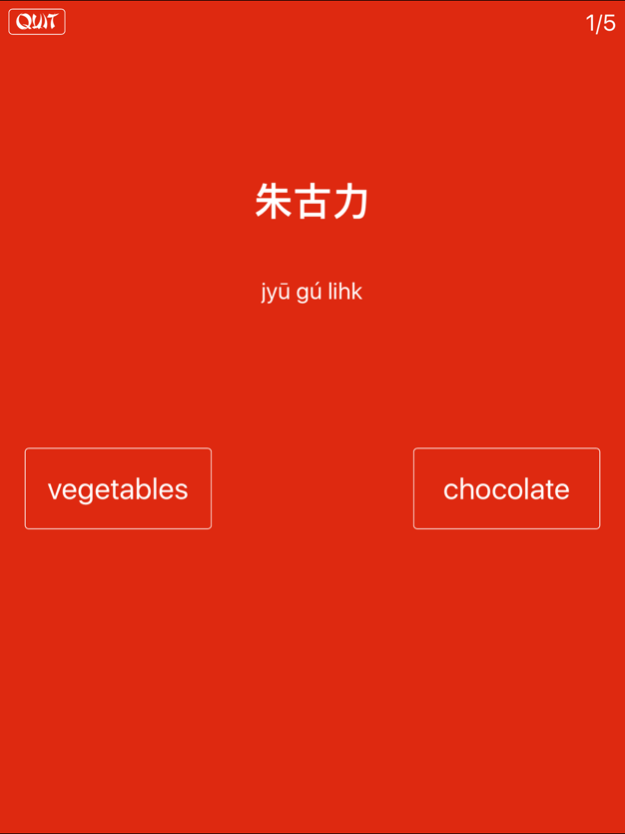
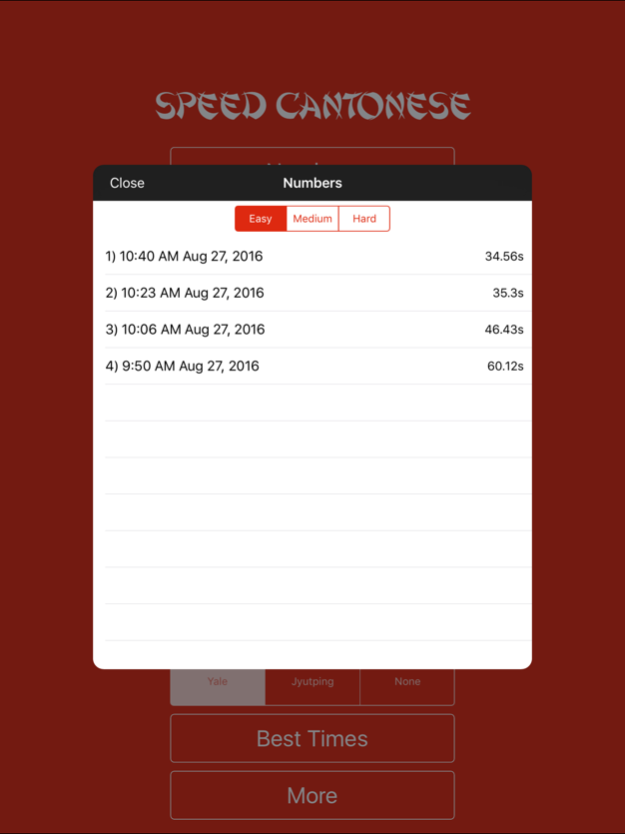
Quickest way to get started on Cantonese vocabulary. Better than flashcards since you can learn at the same time as testing yourself and the app doesn't let you cheat!
Speed Cantonese makes flash cards more powerful by giving you two choices. Unlike flash cards, you don't have to go and study a list of words and then come back and test yourself, the two choices mean you learn right from the start. With on screen score and best times its fun and easy, letting your brain do what it does best, learn to match visual patterns!
Features:
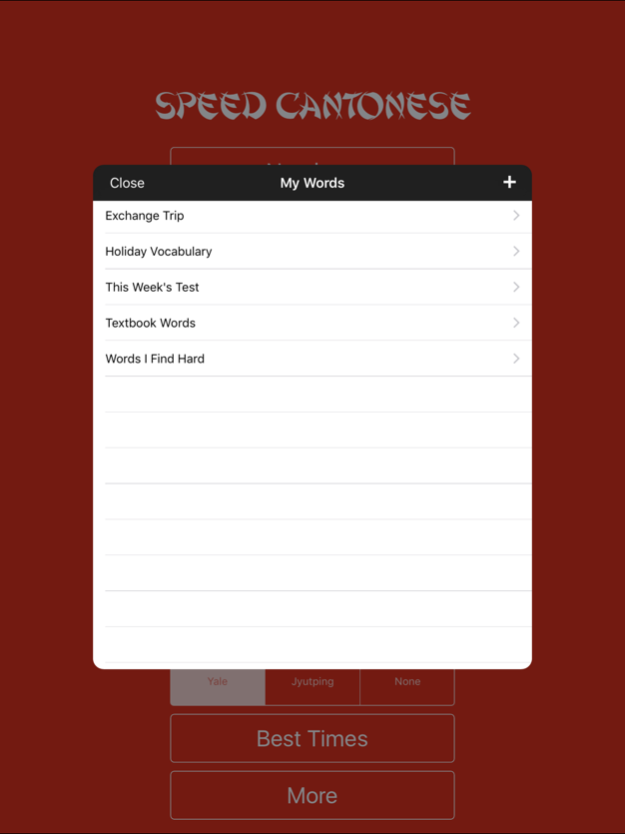
- Add your own words
- Common Yale Romanization
- Jyutping Romanization (Linguistic Society of Hong Kong)
- Numbers: Easy, Medium, Hard
- Dates, Colors, Foods, Places and more!
- Over a hundred words to get you learning fast
- Continuous mode for learning large numbers of words
- Reverse mode: shows the English, guess the Cantonese
- Great for advanced users or learning English for Cantonese speakers
- Hong Kong theme and colors to get you thinking, feeling and speaking Cantonese
- Simple fullscreen design gets rid of all distractions and helps you focus on learning
Add your own words:
- Revise for tests
- Match word lists with textbooks
- Expand the built in vocabulary list
- Keep a list of words you find hard
- Learn words for an upcoming holiday
- Import files email/web/computer and share with friends/classmates
Version History Updated for latest version of iOS 3.0.0 Sep 29 Updated to work on latest iOS 2.0.0 05/01/2022 Ads with button to remove them 1.7.1 09/04/2016 1.0 08/30/2016
About Speed Cantonese
The company that develops Speed Cantonese is Thirteen32 Pty Ltd. The latest version released by its developer is 3.0.0.
To install Speed Cantonese on your iOS device, just click the green Continue To App button above to start the installation process. The app is listed on our website since 2026-10-16 and was downloaded 0 times. We have already checked if the download link is safe, however for your own protection we recommend that you scan the downloaded app with your antivirus. Your antivirus may detect the Speed Cantonese as malware if the download link is broken.
How to install Speed Cantonese on your iOS device:
- Click on the Continue To App button on our website. This will redirect you to the App Store.
- Once the Speed Cantonese is shown in the iTunes listing of your iOS device, you can start its download and installation. Tap on the GET button to the right of the app to start downloading it.
- If you are not logged-in the iOS appstore app, you'll be prompted for your your Apple ID and/or password.
- After Speed Cantonese is downloaded, you'll see an INSTALL button to the right. Tap on it to start the actual installation of the iOS app.
- Once installation is finished you can tap on the OPEN button to start it. Its icon will also be added to your device home screen.
Program Details
System requirements
Download information
Pricing
Version History
version 3.0.0
posted on 2026-10-16
Version History Updated for latest version of iOS 3.0.0 Sep 29 Updated to work on latest iOS 2.0.0 05/01/2022 Ads with button to remove them 1.7.1 09/04/2016 1.0 08/30/2016
version 2.0.0
posted on 2022-05-01
May 1, 2022
Version 2.0.0
Updated to work on latest iOS
version 1.7.1
posted on 2016-09-11
Disclaimer
Official App Store Link
We do not host Speed Cantonese on our servers. We did not scan it for viruses, adware, spyware or other type of malware. This app is hosted by Apple and passed their terms and conditions to be listed there. We recommend caution when installing it.
The App Store link for Speed Cantonese is provided to you by apps112.com without any warranties, representations or guarantees of any kind, so access it at your own risk.
If you have questions regarding this particular app contact the publisher directly. For questions about the functionalities of apps112.com contact us.
